


 E-resources
  Library resources
  Online Catalogue
  Trial Access Databases
 To use alternative remote access to the ICI Journals Master List database, you must create an individual user account. To do this:
1. Go to ICI Journals Master List webpage, using link from UKSW Library website: http://han.uksw.edu.pl/han/jml-indexcopernicus/ from the computer connected to UKSW network.
2. Log in with your access details to Microsoft 365 UKSW and type in one-time code form two-factor authentication application.
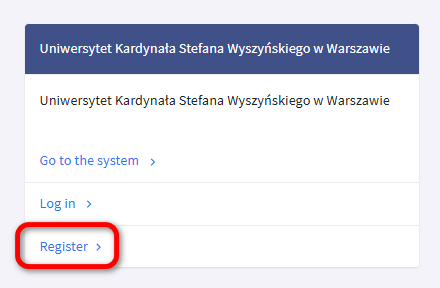
3. After entering the database, among few options, click „Register”.
4. Complete the registration form and select the required consents.
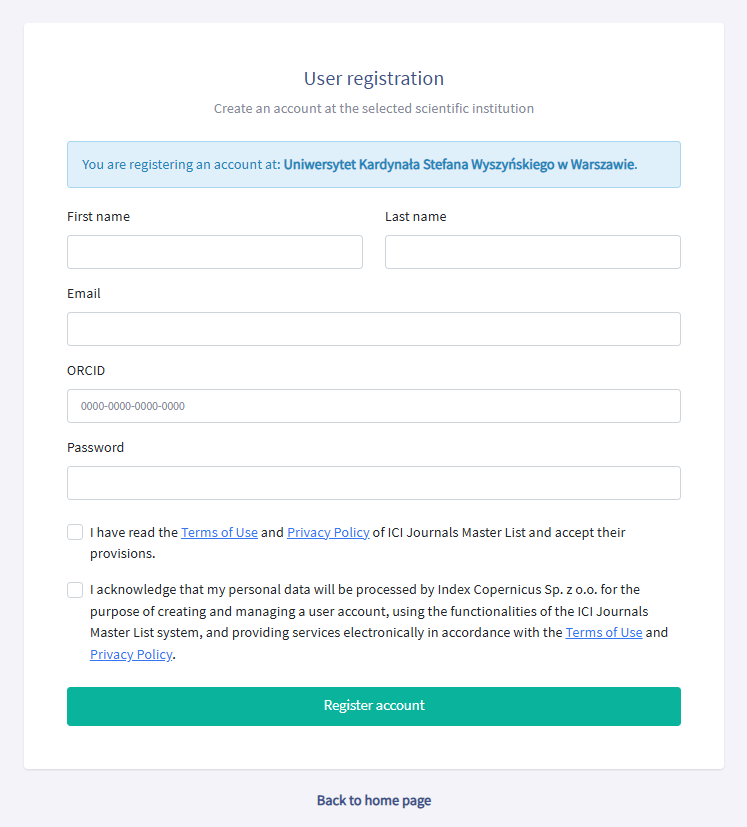
5. Click „Register account”.
6. Confirm your registration by clicking the activation link received in the email address provided when filling out the registration form.
7. After clicking the activation link, you will be redirected to the database where you will see a message confirming your registration.
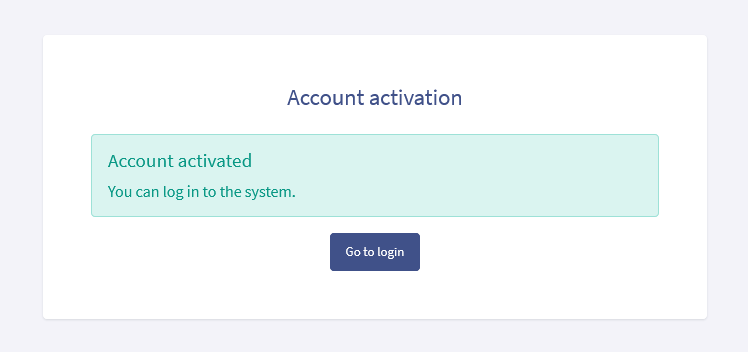
From now on, you can use alternative remote access (remotely, from outside the UKSW campuses, without having to log in via the HAN service).
 Alternative remote access to the ICI Journals Master List database resources –
instructions for creating an account [PDF, 0.14 MB]
Alternative remote access to the ICI Journals Master List database resources –
instructions for creating an account [PDF, 0.14 MB]